
The shared pet care log for iPhone
Who fed the cat?
Paw Crew is a shared pet care log for iPhone that answers before anyone has to ask. One shared page per pet, per day: what's done and by whom, what's next, and what's running late. Synced through your own iCloud.
Free for one pet. Paw Crew Pro is $7.99 once. No subscription.
For households
Everyone looks after the pets. Nobody knows who already did.
Pet care in a busy home runs on shouted questions and sticky notes. Paw Crew puts it on one page the whole household can see.
The second breakfast
You fed Miso at 7:42. Anna didn't know, so Miso ate twice. With Paw Crew, Anna sees your name next to Breakfast before she opens the tin.
The pill nobody gave
Everyone thought someone else gave the evening meds. Paw Crew reminds you on time, lets you mark it done from the notification, and shows who signed it.
"When was the last flea treatment?"
The vet asks, and the answer is somewhere in a group chat. Paw Crew keeps every treatment, vaccine and weigh-in with its date, ready to show.
How it works
Three steps, then it runs itself
Add your pets
A short guided setup: name, species, the daily routine, any meds and the next vaccine. Skip anything you like.
Tap when it's done
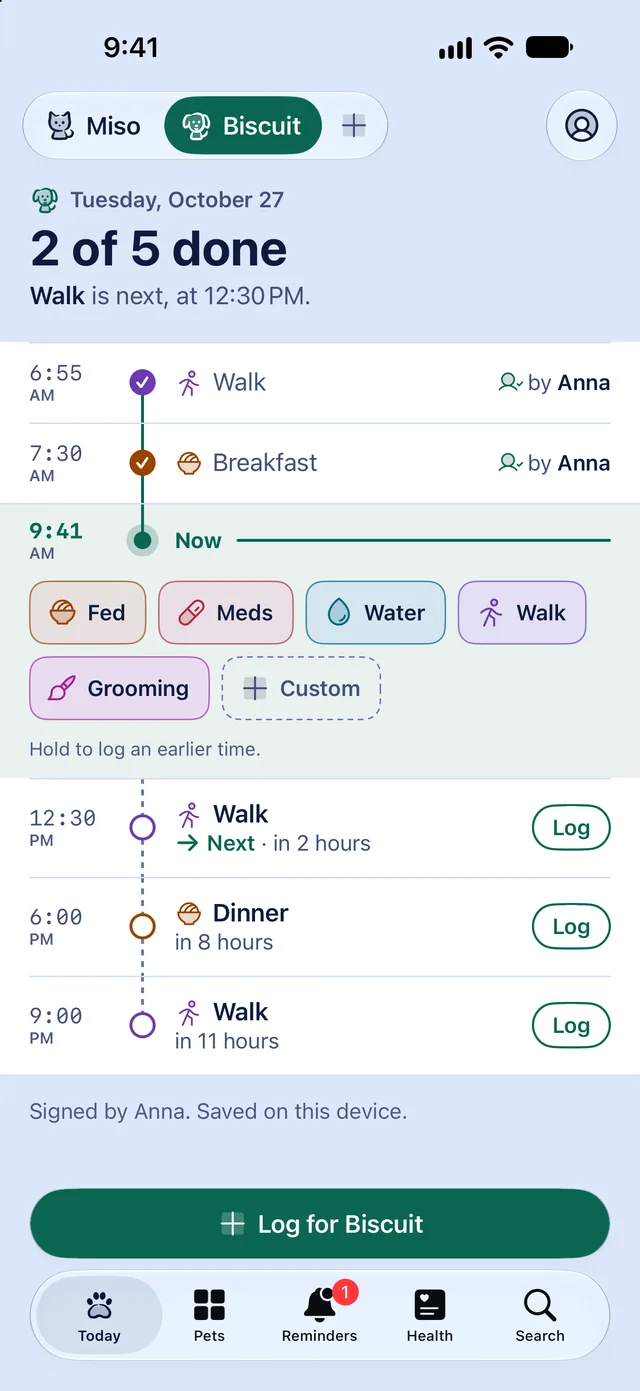
Fed, Meds, Water, Walk: one tap on the Now line logs it at this minute, with your name. Undo is right there.
Everyone sees it
Invite the household through iCloud sharing, free from launch. Everyone's taps land on the same page, and the others can get a quiet notification when someone logs.
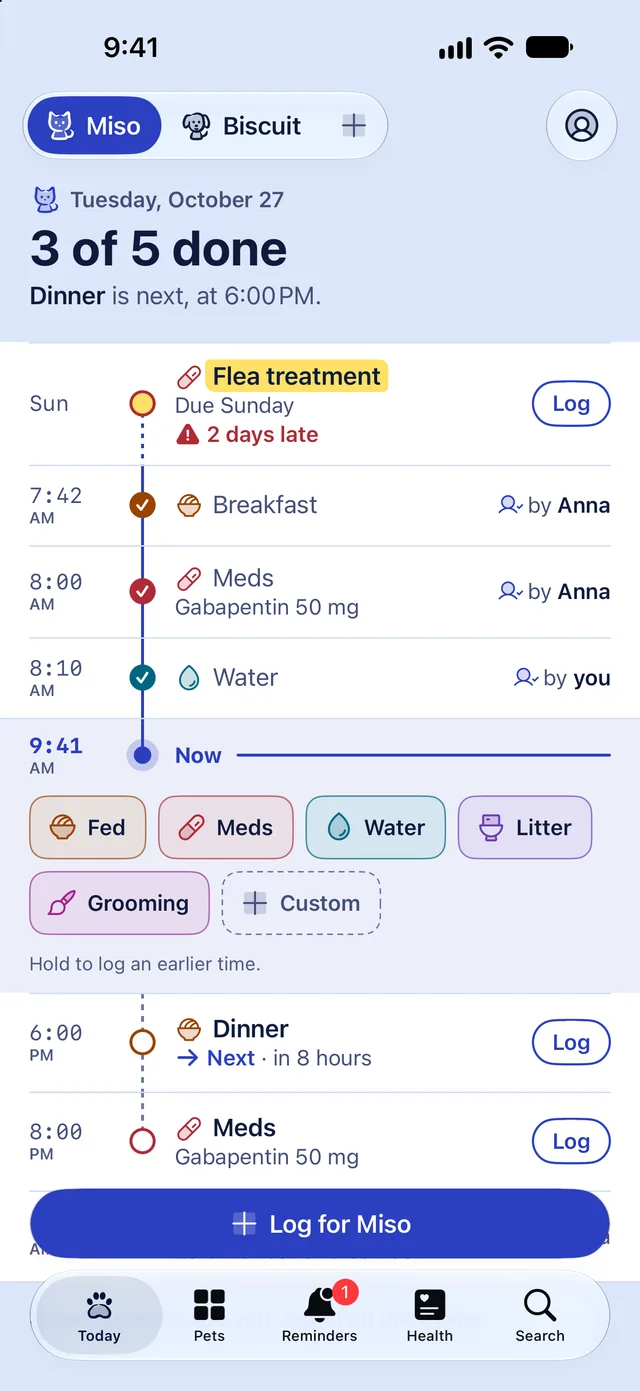
Tuesday, October 27
3 of 5 done
Dinner is next, at 6:00 PM.
- SunLateFlea treatment
- 7:42AMDoneBreakfastby Anna
- 8:00AMDoneMedsby Anna
- 8:10AMDoneWaterby you
- 9:41AMNow
Hold any button to log an earlier time.
- 6:00PMDueDinner
- 8:00PMDueEvening meds
Signed by Anna and you. Synced through your iCloud.
What's inside
Small app, well made
Everything a household needs to keep its pets on schedule, and nothing that gets in the way.


The Day Ledger
One ruled page per pet, per day: what carried over, what's done and by whom, the Now line, and what's still to come.
One-tap logging, with Undo
Tap Fed, Meds, Water, Litter, Walk or Grooming on the Now line. It's logged at this minute, and Undo is right there.
Household sharing, included
Invite the people you live with, or a sitter, through iCloud sharing. Share one pet or all of them. Everyone sees who did what, and nobody makes an account.
Reminders that work
Feeding, meds, walks and due dates on the schedule you set, right across time zones and daylight saving. Mark done from the notification.
Health records, ready for the vet
Vaccines, flea treatments, deworming, checkups, med courses and weight, each with its due date, ready to hand your vet as a PDF report.
Widgets and Siri
Log a walk from the Home Screen, see the next med on the Lock Screen, or ask Siri. Shortcuts and the Action button too.
Three themes, light and dark
Cloud Ink, Mint Press and Rose Quartz, each in light and dark, with every text colour at a 4.5 to 1 contrast or better.
Household and everyday extras
The rest of the week, covered
All in the launch version. Everything here is free except sitter handoff and vet expenses, which are part of Paw Crew Pro.
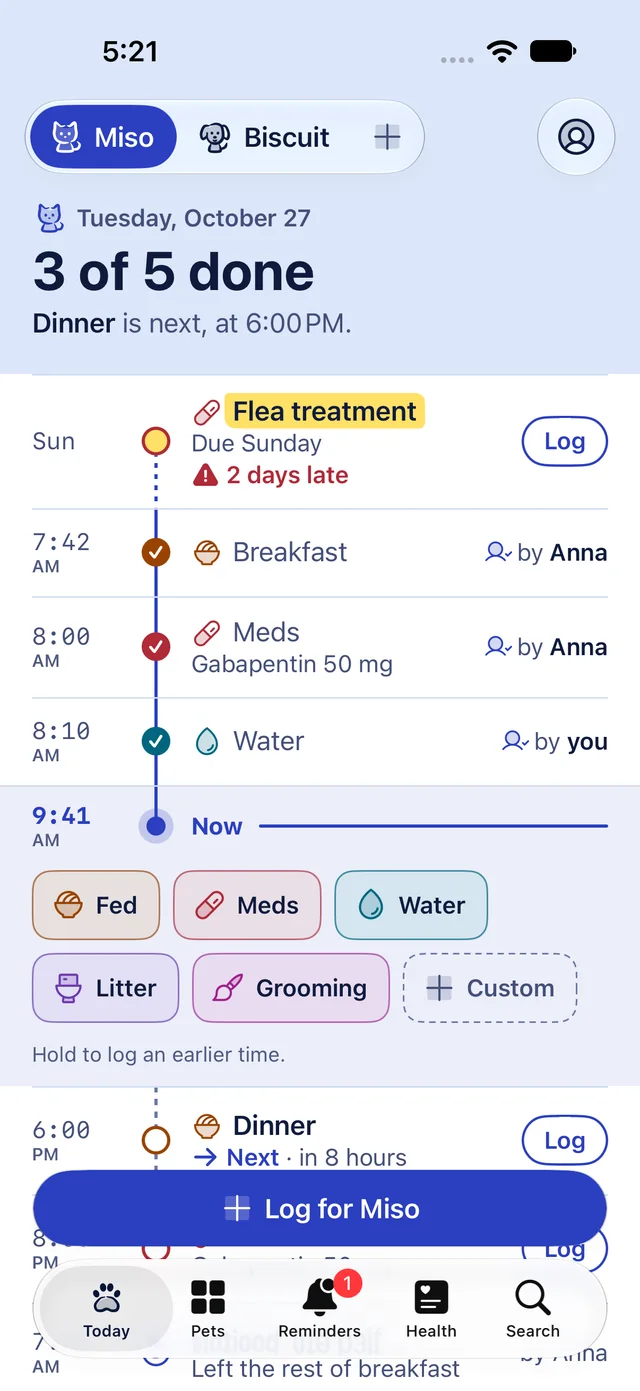
Household notifications
When someone logs, the others can get a quiet notification, such as Anna fed Miso. If a routine item is not logged on time, everyone gets one nudge, and it clears as soon as anyone logs it.
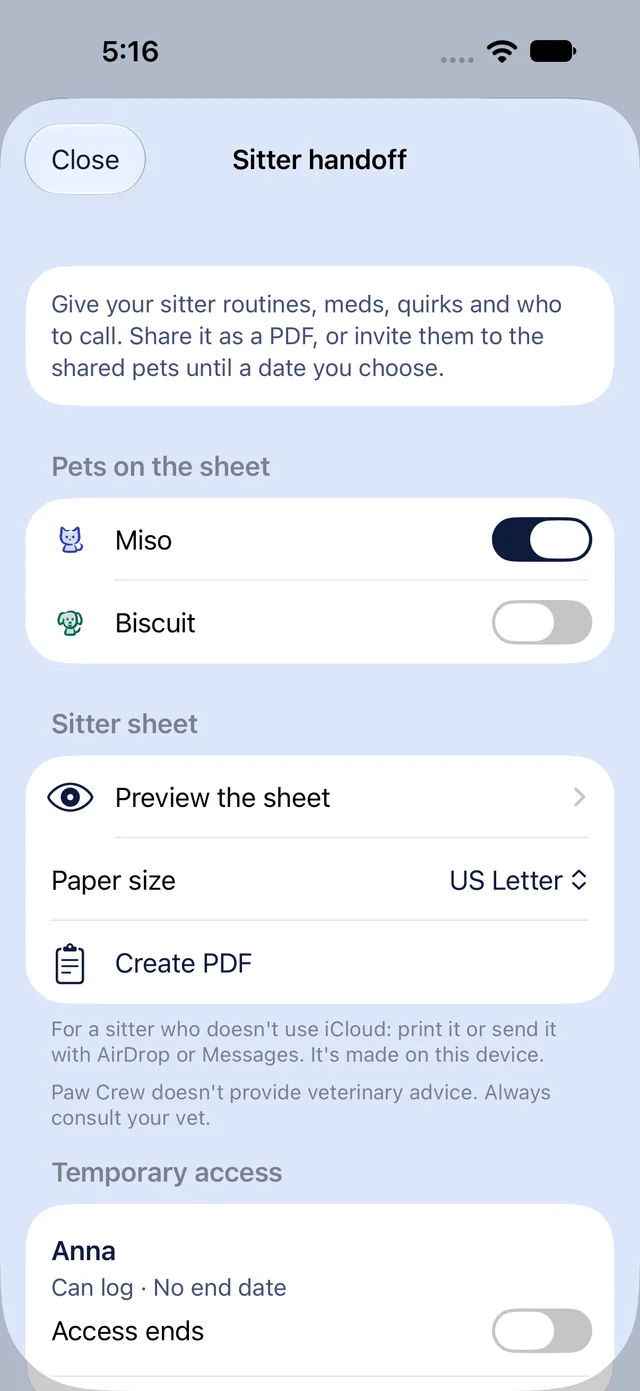
Sitter handoff
Hand a sitter the whole routine at once: a sitter sheet as a PDF, or a temporary invite to your shared pets that ends after the last day you choose.
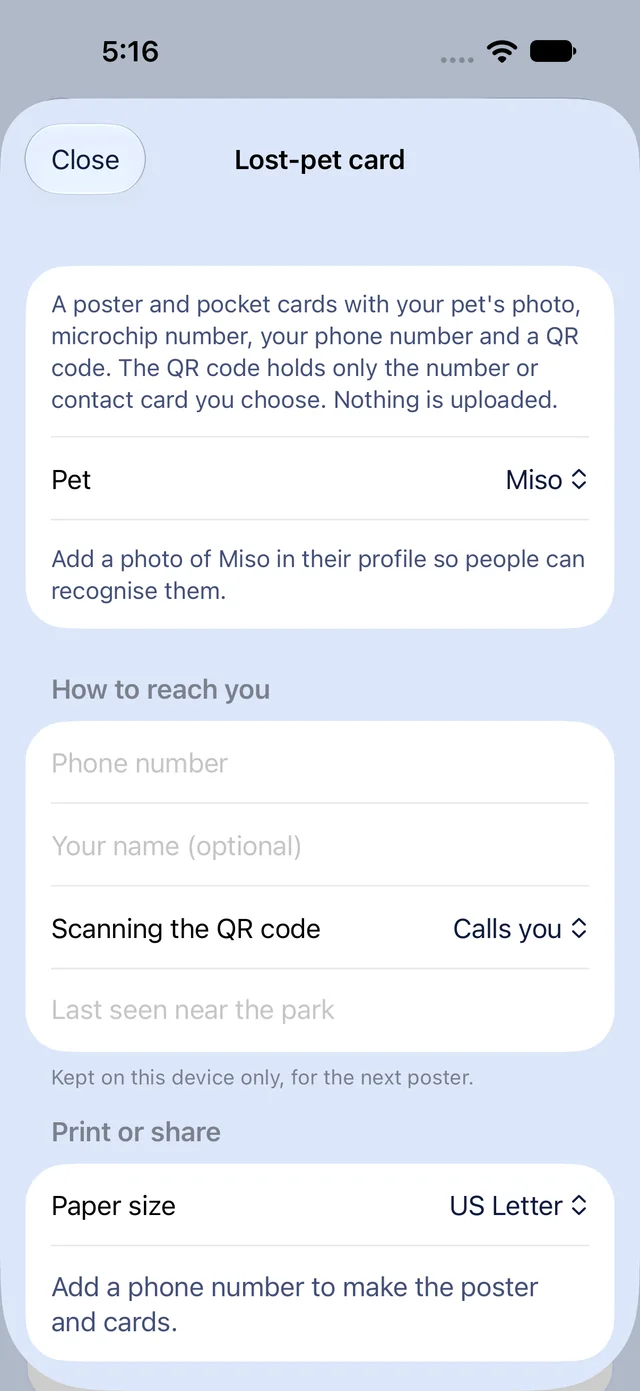
Lost-pet card
One tap makes a Lost poster and a pocket card with your pet's photo, name, microchip number, the phone number you choose and a QR code.
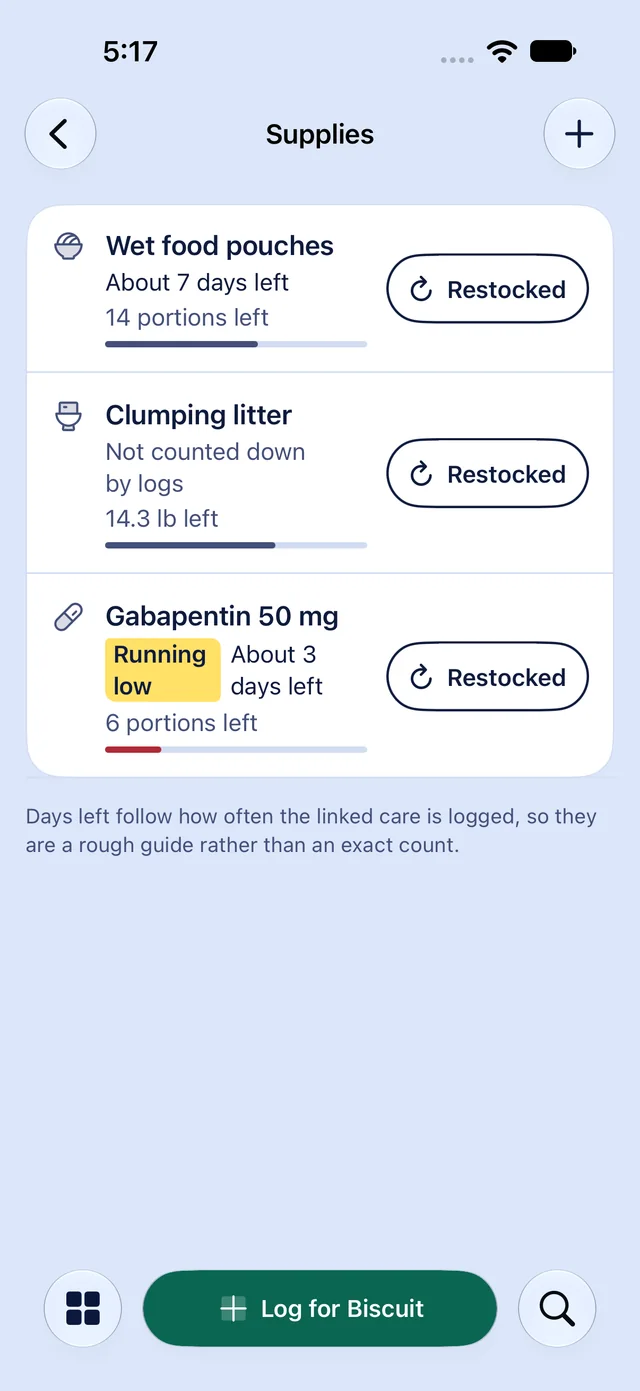
Supply reminders
Track food, litter, meds and treats. Paw Crew estimates the days left from what you log, such as Kibble runs out in about 5 days.
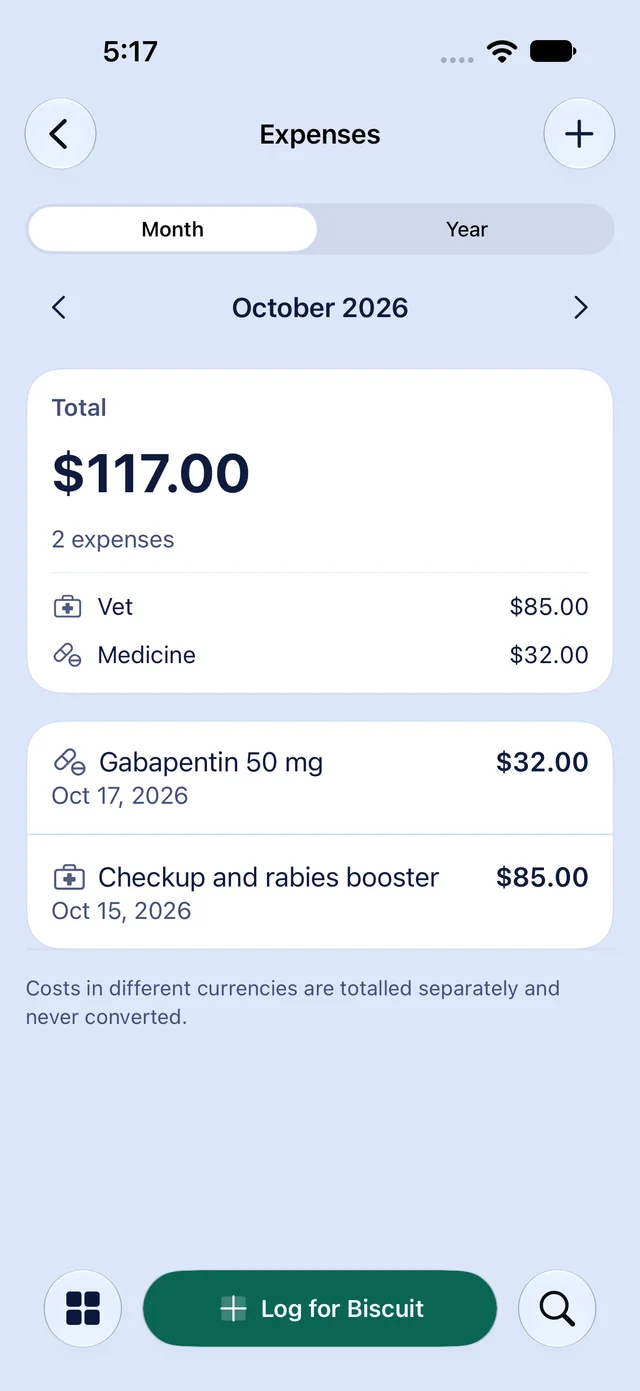
Vet expenses
Add a cost to a vet visit, a record, a med course or any log, or on its own, with an optional receipt photo. See the totals by month and by year.
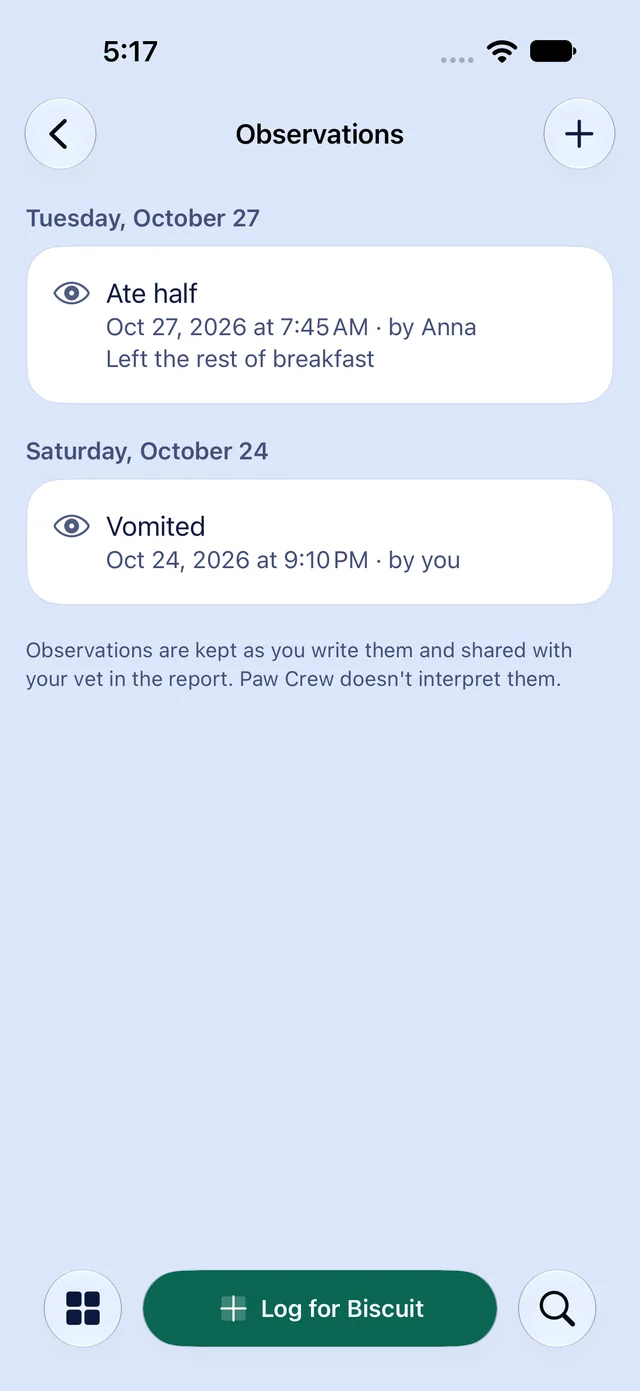
Observations
A quick log for things you notice, such as vomited, limping, ate half or drank a lot, with the time, a note and an optional photo. Kept exactly as you wrote it.
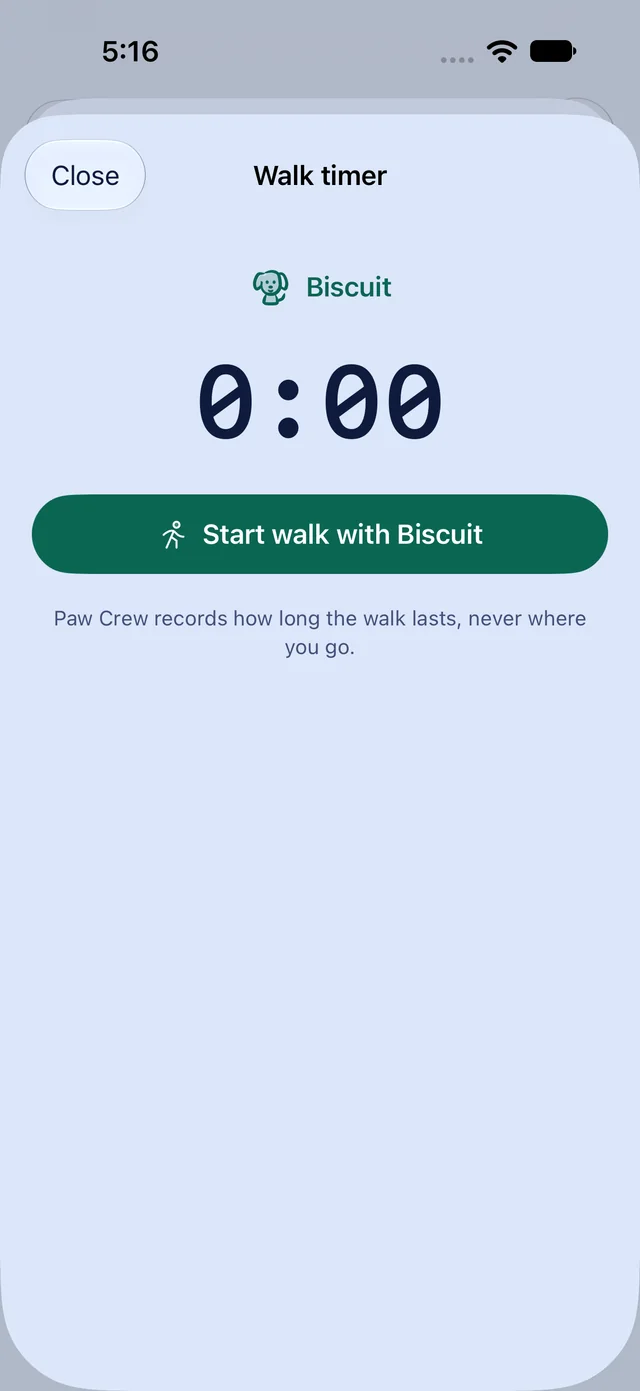
Live Activities
A walk timer in the Dynamic Island and on the Lock Screen, and a countdown to the next med dose when it is due within 8 hours.


Records and devices
From the vet's desk to your wrist
The vet report, the journal, gentle milestones, Spotlight search, an Apple Watch app and an iPad layout. All in the launch version.
PDF vet report and export
Meds, med courses, health records, a weight chart, Observations and notes for a date range, as a PDF to hand your vet. Export everything to CSV or JSON as well.
Documents and photo journal
Attach vet PDFs, photos and receipts to a pet or a log, follow each pet's history on one timeline, and get a monthly photo recap.
Streaks, milestones and birthdays
Gentle care streaks with grace days, milestones such as 100 walks, and a card on your pet's birthday and gotcha day.
Spotlight search
Find a pet, a contact or a document from iPhone search, without opening Paw Crew first.
Apple Watch
Log Fed, Meds, Walk or Litter for the selected pet from your wrist, see what's next, and Mark done or Snooze a reminder.
Made for iPad
A sidebar, a two-column Today with your pets beside the ledger, wider pet pages and keyboard shortcuts for quick log.
Every kind of crew
Cats and dogs, and the rest of the household too
Paw Crew has art for cats, dogs, reptiles, birds, fish, rabbits, turtles and hamsters, and logs care for any animal you look after.
- Cats
- Dogs
- Reptiles
- Birds
- Fish
- Rabbits
- Turtles
- Hamsters
Three themes
Your page, your ink
Cloud Ink, Mint Press and Rose Quartz, each in light and dark. Only the colours change; the page reads the same.
Cloud Ink
The default. A white page on a periwinkle desk, in navy ink.
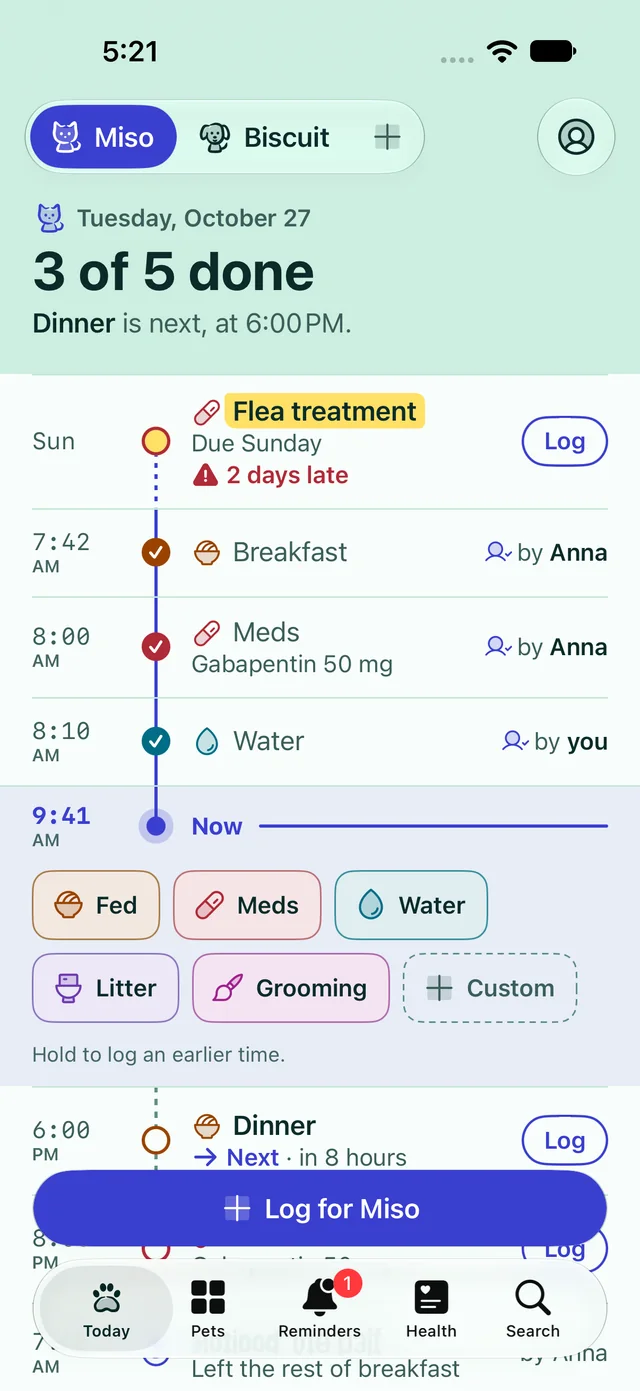
Mint Press
A near-white page on a mint desk, in deep green-teal ink.
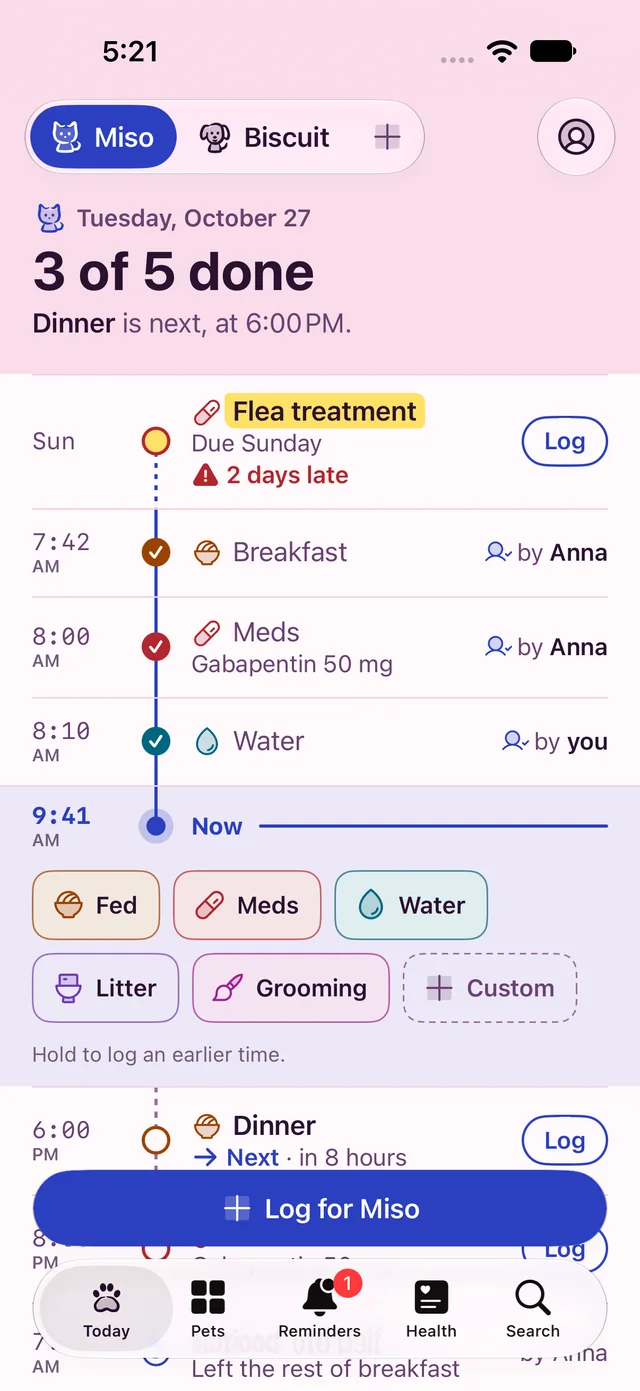
Rose Quartz
A pale blush page on a rose desk, in plum ink.


Privacy
Your pets' records are yours. We never see them.
Paw Crew has no account, no servers of ours and nothing that tracks you. The App Store privacy label says Data Not Collected, and it means it.
No account
Nothing to sign up for. Paw Crew uses the iCloud account already on your iPhone.
In your iCloud
Records sync through Apple's private CloudKit database, in your own iCloud. Not ours.
No tracking
No third-party SDKs, no analytics, no ads. Reminders are local notifications on your iPhone.
Delete means delete
Delete all data in Settings removes it from your iPhone, from your iCloud, and from the shares you own.
Pricing
Pay once, or never
Pet apps often charge every week, month or year for a log that lives on your phone. Paw Crew doesn't.
Paw Crew
Free
For one pet
The whole log, reminders, med courses, health records, Observations, weight, contacts, widgets, Siri, Live Activities and iCloud sync, on iPhone, iPad and Apple Watch. Plus household sharing and notifications, the lost-pet card, supply reminders, streaks and milestones.
Paw Crew Pro
$7.99
Once. Not a subscription.
Unlimited pets, the PDF vet report and full export, the documents and photo journal, sitter handoff, vet expenses with totals, and your own log types and icons. Covers your family through Family Sharing.
Tip Jar
$1.99, $4.99, or $9.99
Optional. Unlocks nothing.
A one-time thank you through Apple, in Settings > Tip Jar. Every feature works without one, and a tip cannot be restored or shared.
Questions
Short answers
- What is Paw Crew?
- Paw Crew is an iPhone app that helps a household look after its pets together. It shows who fed, walked or gave meds today, reminds you of what is due next, and keeps a record you can show your vet.
- How much does Paw Crew cost?
- Paw Crew is free for one pet. Paw Crew Pro is a one-time in-app purchase of $7.99 in the US, bought through Apple. There is no subscription.
- Do I need an account?
- No. Paw Crew has no accounts and no servers of ours. It uses the iCloud account already on your iPhone.
Coming soon to iPhone
Paw Crew is being built now. Questions before launch? Write to support@pawcrew.app and a person will answer.
Coming soonPaw Crew is in development for iPhone, iPad and Apple Watch. The App Store button turns on the day it launches.